
Booking In an Order
Once you have received the medication from the pharmacy, locate the order and you can begin the booking in process.
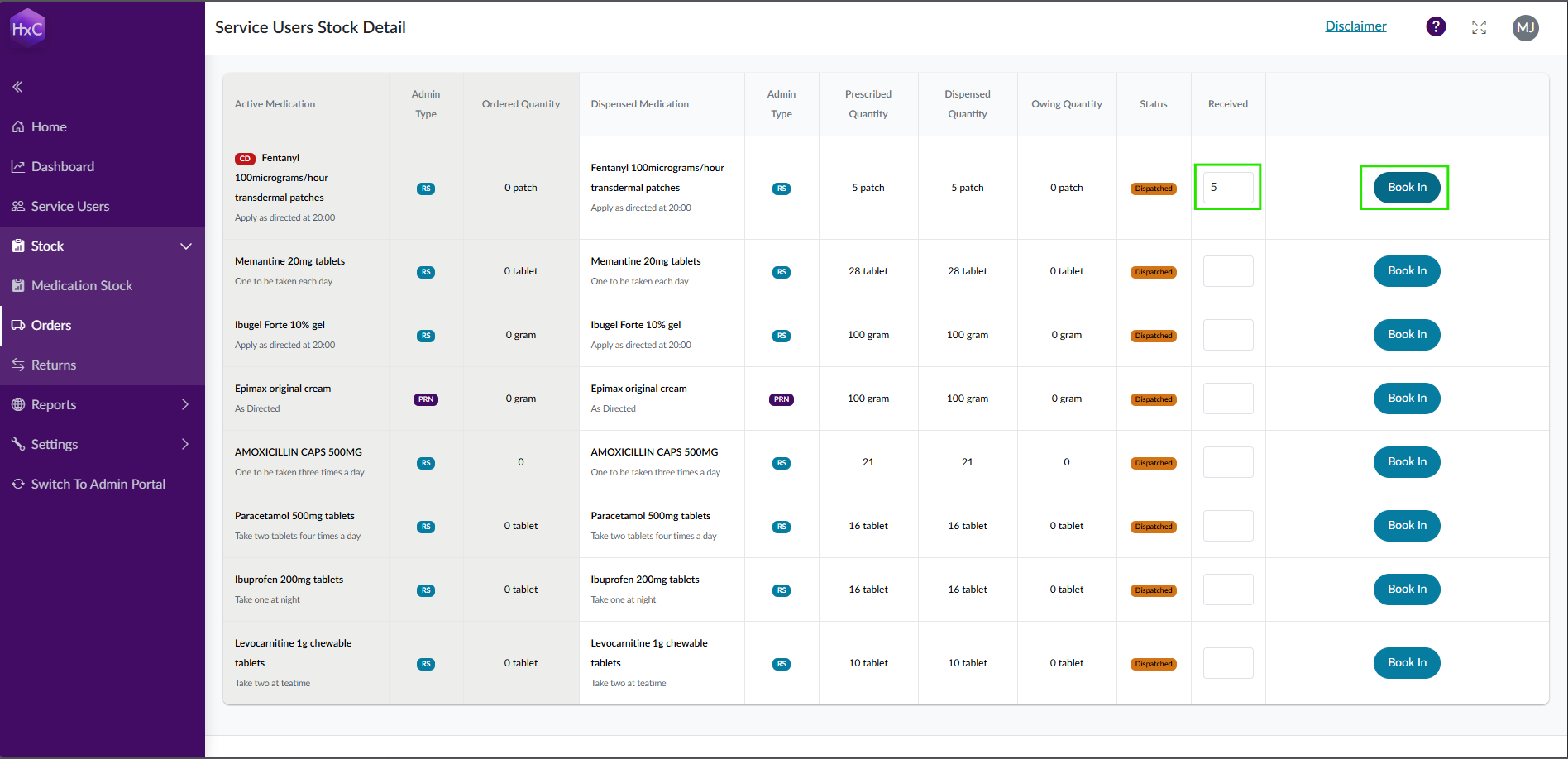
Under Received type the quantity of stock you have received and select Book In.
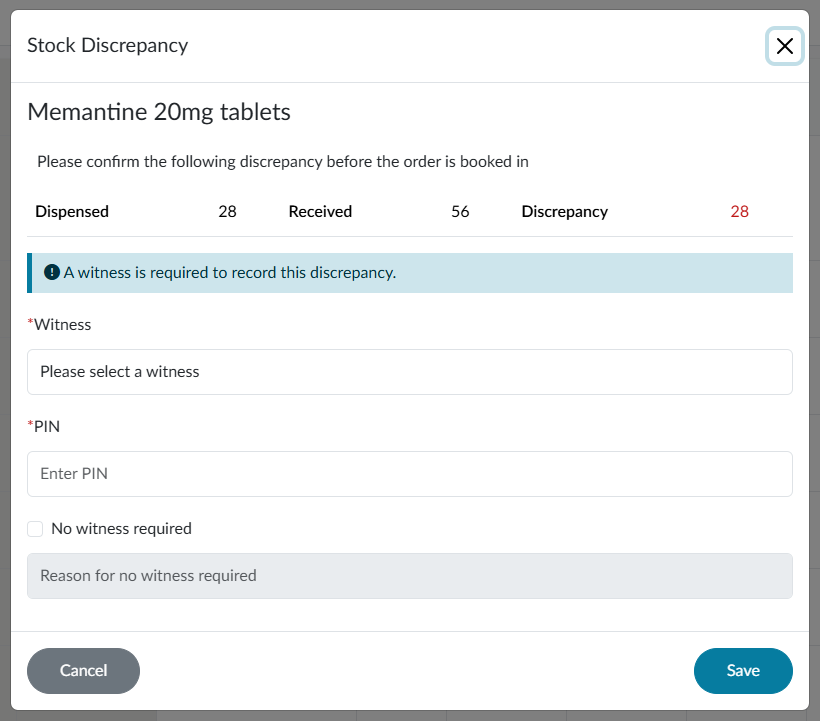
If you enter a quantity that is more or less than what is expected, you will be asked to confirm that the quantity you entered is correct.
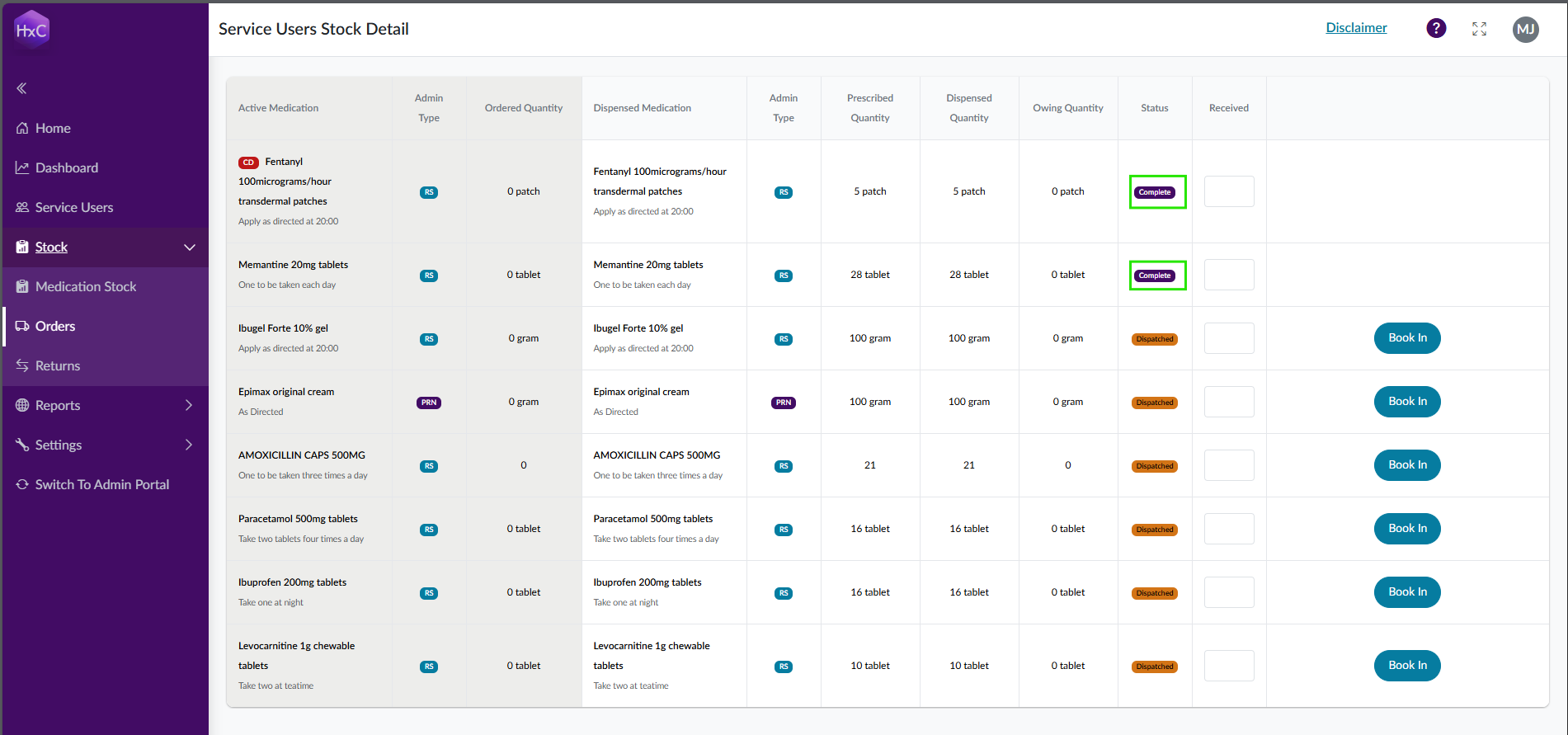
As each medication is booked in, it will mark as complete.
Ensure to check each medication and it has the expected dosage instructions.
Last updated: 3/12/26, 1:31 PM