
Round Management
Rounds are a key part of the system to set up correctly, although these can be adjusted over time if required.
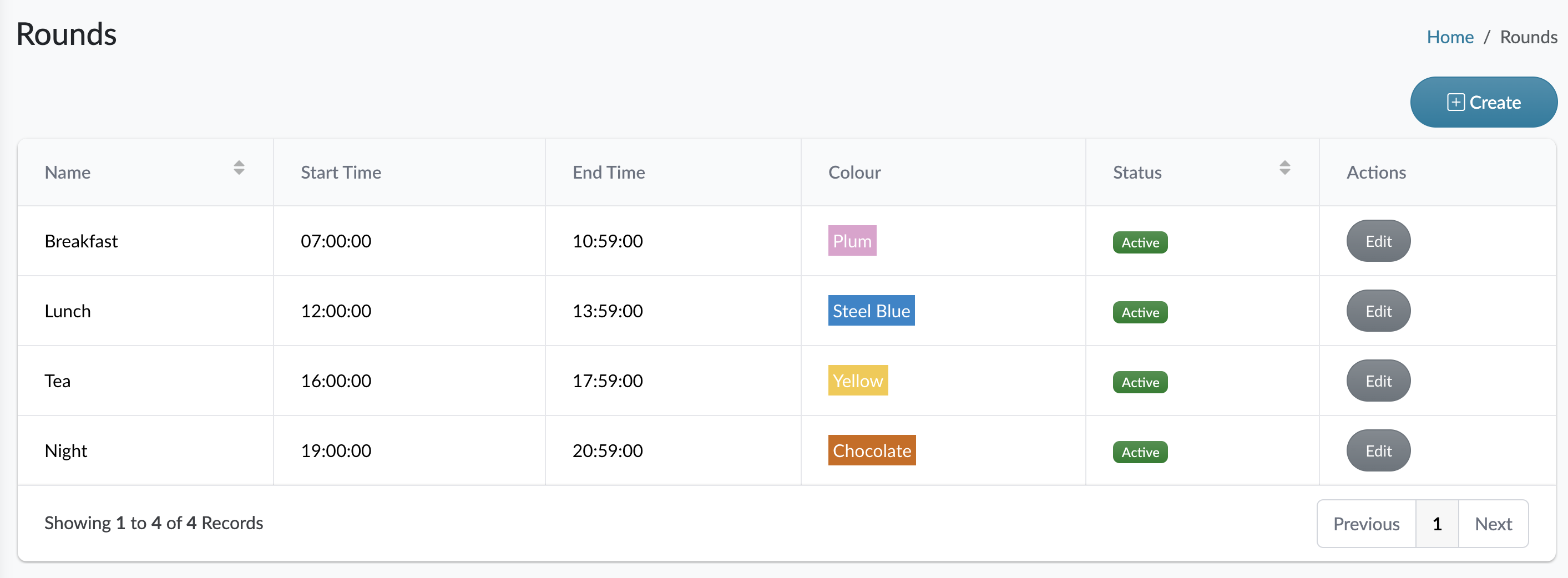
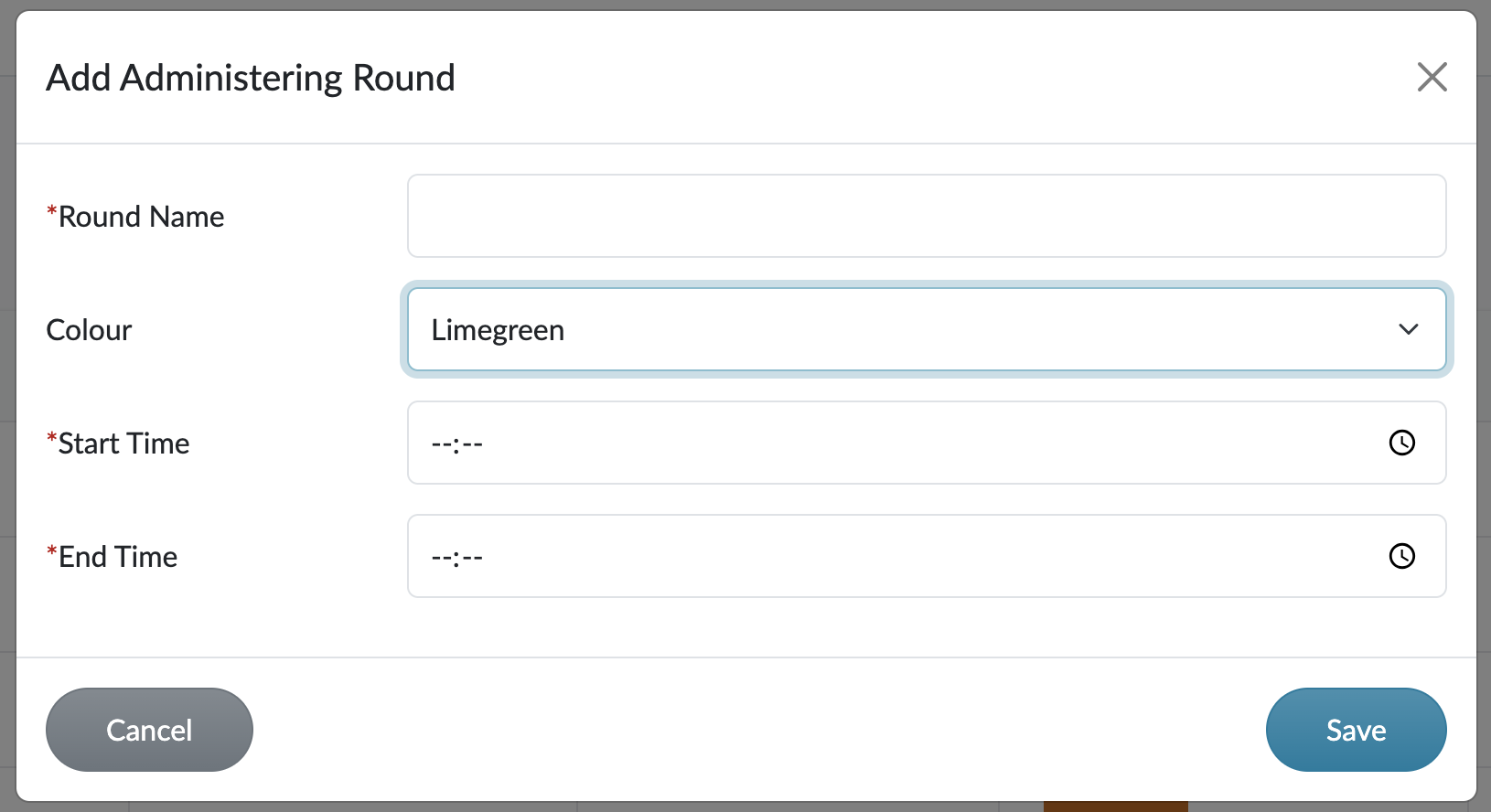
When creating a round, you give it a name, a start and end time and set a colour unique to that round. The colour is important as it’s an easy visual guide to differentiate rounds.
Note:
When setting the start and end times for a round, be mindful over not overlapping rounds. We use a 24 hour time in HxCare so we would suggest that rounds are created as follows:
If you want to create a round that runs from 9am to 11am, create it with the start time of 09:00 and the end time of 10:59.
If you want to create a round that runs from 3pm to 6pm, create it with the start time of 15:00 and the end time of 17:59.
The reason why it's not a good idea to have a round from 09:00 to 11:00 is that if you want to start the next round directly after it at 11:00 then you would have two rounds that cover the same time so if a medication is set to be administered at 11am, the system will try and put it into the round that finishes at 11am, when realistically it would be administered in the following round after 11am.
We would strongly advise against changing round times once the round is in use. This could cause confusion if a morning round was changed to be after lunch. While the system does allow round times to be changed in this way, you need to be careful the changes you are making are reasonable.
It is not possible to delete a round once it’s been created, but you can edit the details, or you can make it inactive if you no longer require it. We do this to retain data history which is very important for any audit trail. You can deactivate a round via the edit option so it will no longer appear on the MAR charts or daily schedule.
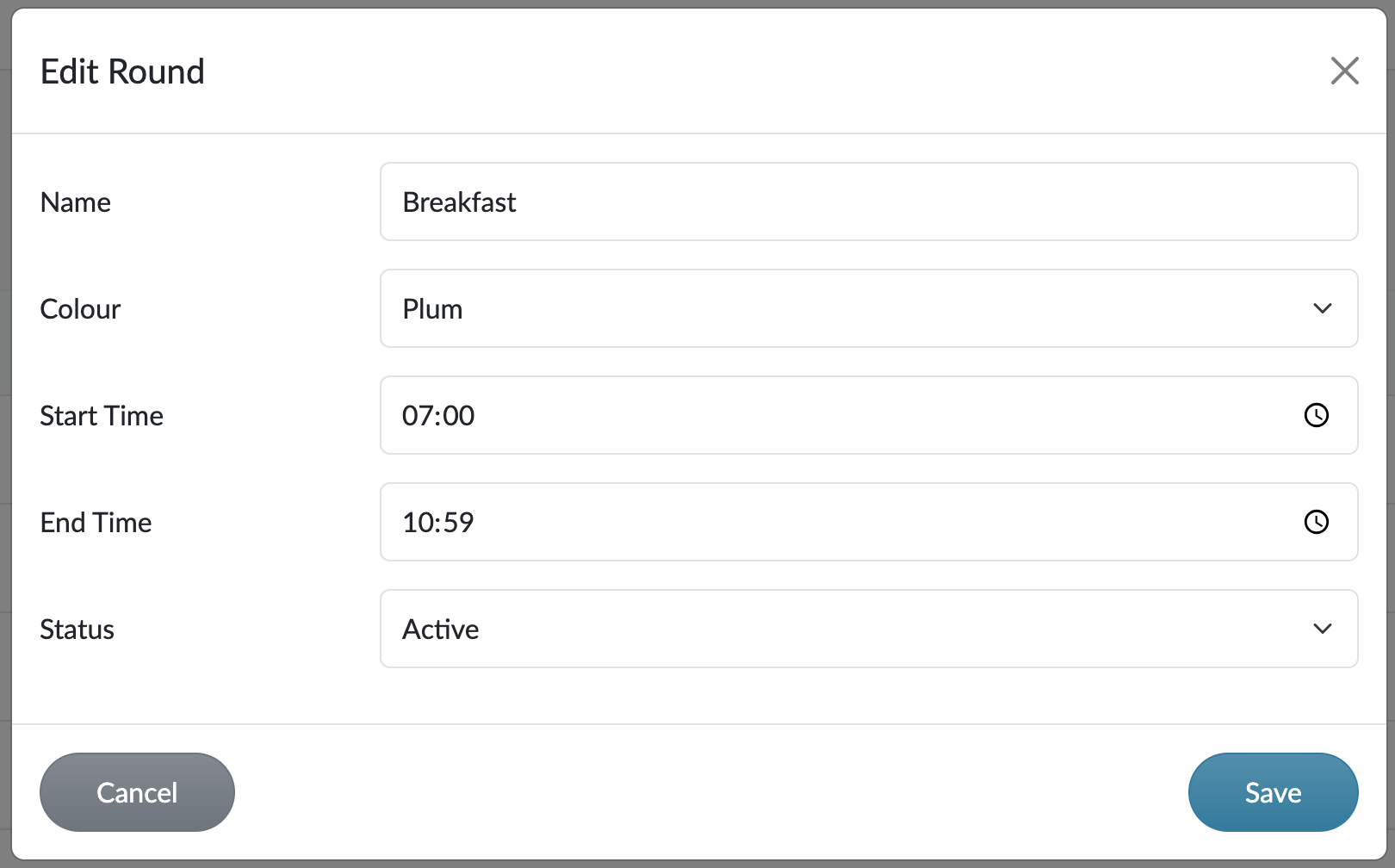
Round management can be found in the Settings and Rounds menu.