
Discontinuing Medication
If a service user has completed a course of medication or one has been stopped by the GP, you must discontinue the medication.
All medications are added as continuous and you must manage these in line with your orders and communication with you pharmcy and GPs.
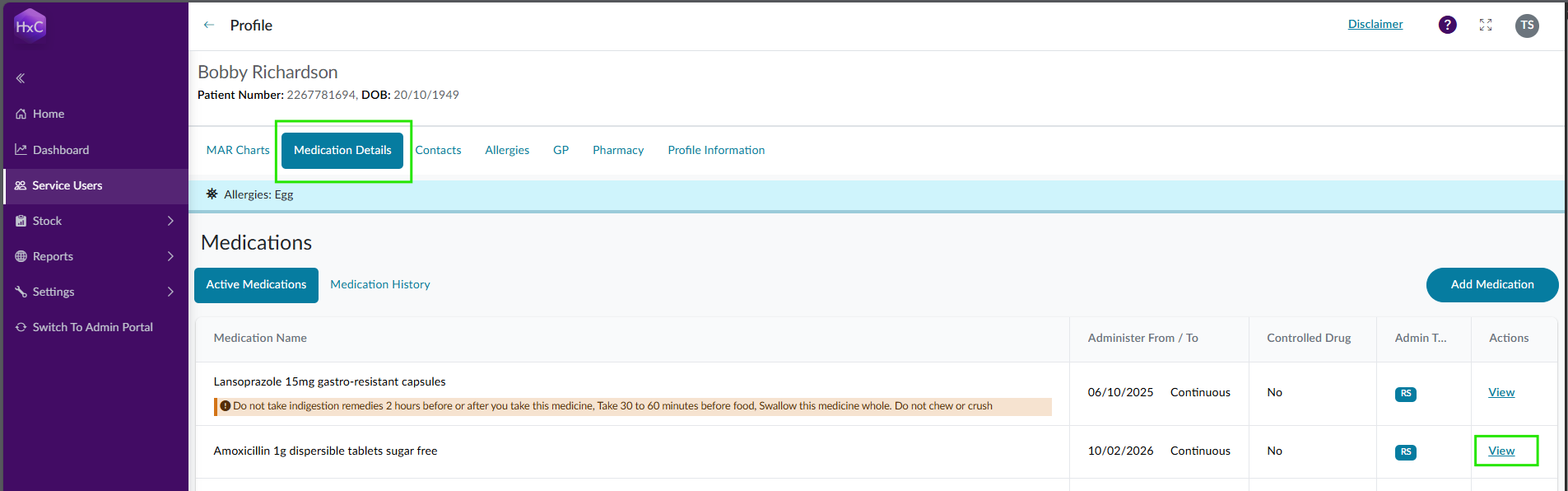
To discontinue a medication, find the correct one on the Medications page and select to 'view' that medication.
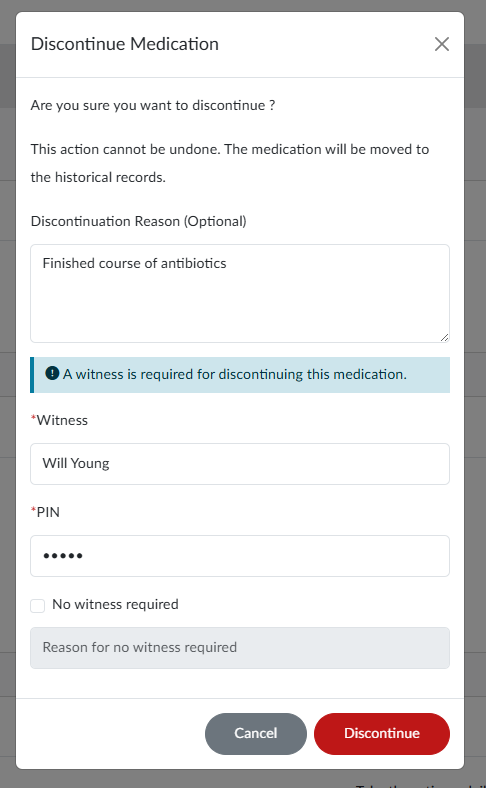
Select to 'Discontinue' and complete the required fields. The medication will then discontinue immediately.

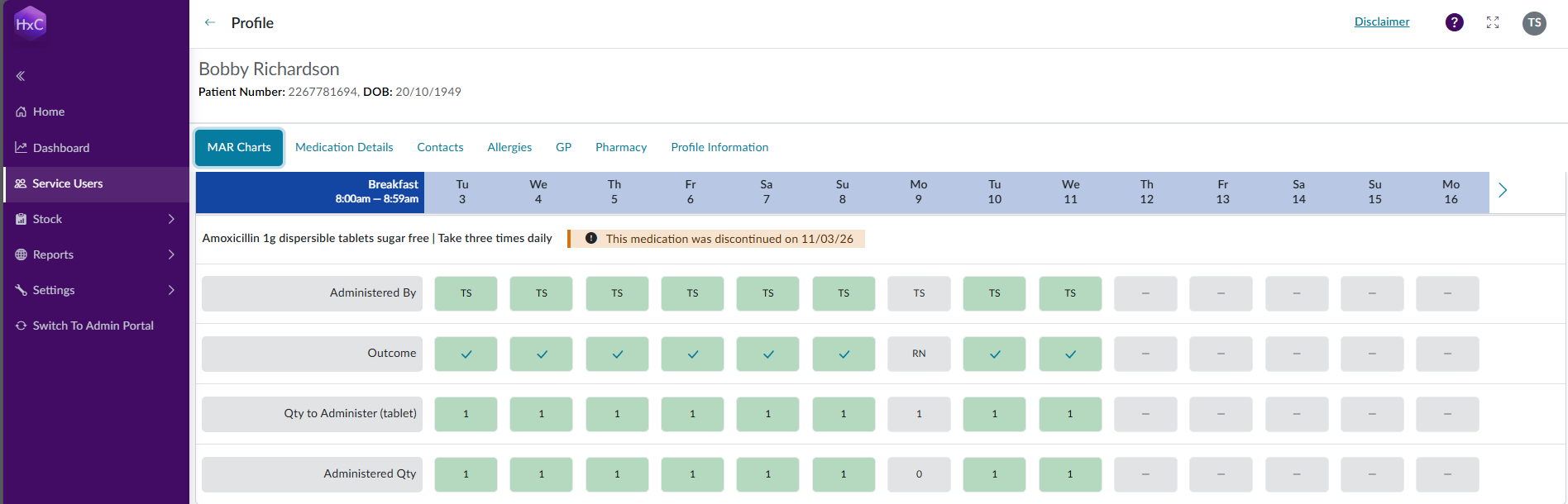
The medication will then be displayed under Historic Medication on the medications page, and the MAR chart will be uipdated. The medication will still be displayed for audit purposes, until the next 14day window is displayed.
Last updated: 3/12/26, 9:16 AM