Carrying out a Round
Once you have started a round, you will normally use the tablet device to view the list of service users that are part of that round. This will show you where they are located via the bed number. You will also see a small version of the image you have uploaded for the service user to give that additional visual check. You could use a laptop instead if you don't have a tablet device available.
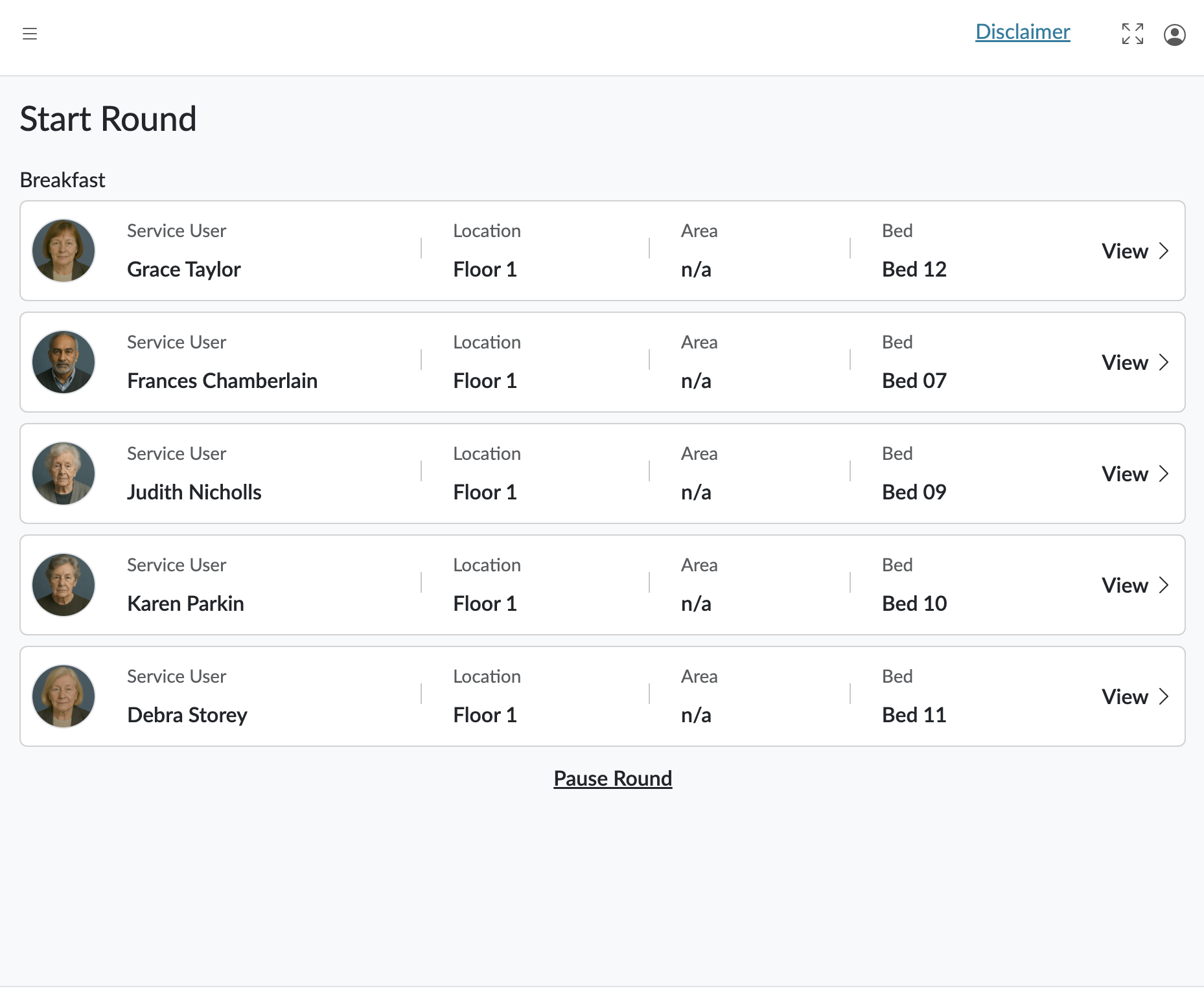
For each service user on the round, you can click View and you will see the list of medication that the service user are due to take, and the status of each of those administrations.
For each administration, you will be able to view the details and view the dosage instructions, the amount you should be administering, details about the last dosage that was given, any specific information relating to the type of drug and any warnings about the administration of that drug such as whether it has been given within the last 4 hours.
Admin
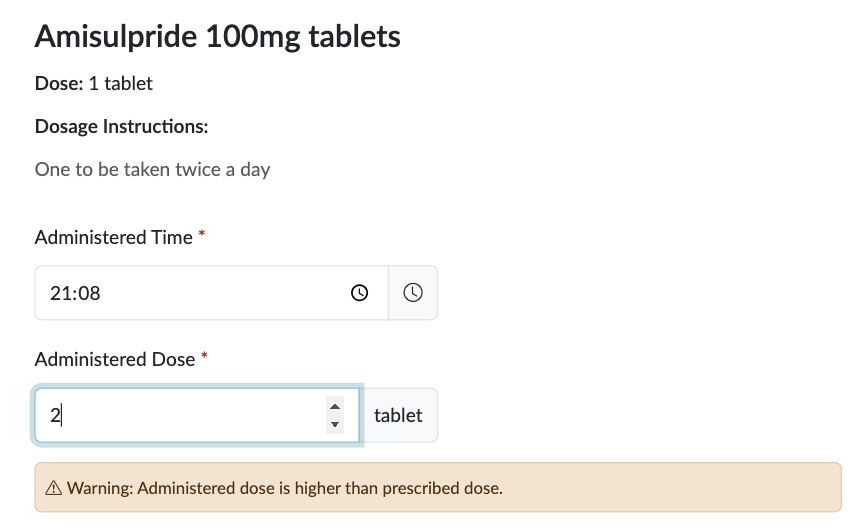
If you administer the medication successfully, you must record the dosage you have been able to give and add any important notes for that administration. You should also make sure the administration time is set correctly. It will default to Now, but if need to refine the time, you can do so here.
If you try and administer too much or less than the specified dosage, you will be shown a warning to tell you. HxCare won't stop you administering that amount, but you will need to record a witness with another member of staff.
Non-Admin
If you are unable to administer the medication, you must record the reason. It's also important that you've set up all the suitable non-admin codes in the care home set up, so you can provide correct and constant non-administration information across the care home.
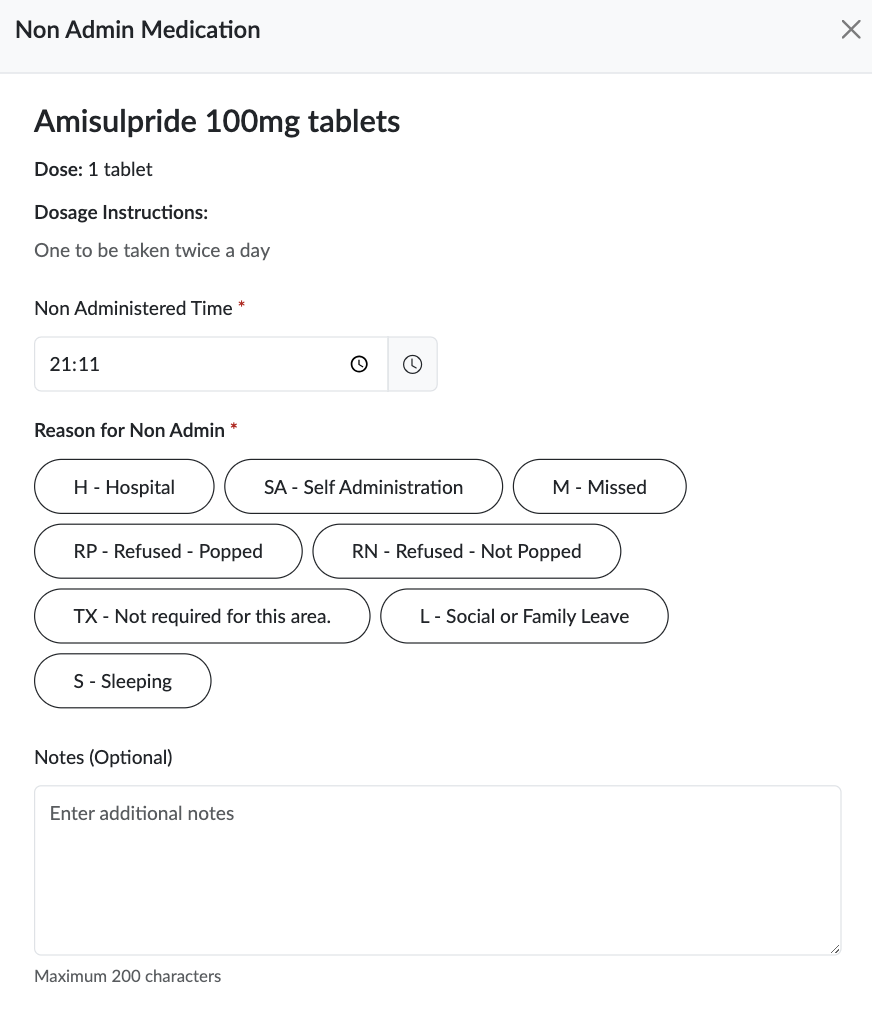
Once you have selected the most appropriate non-admin code, you should add any relevant notes about why. Any missed or non-admins for medications get logged on a report and will be questioned.
To complete a round, you will need to record and administration, either successful or not, for each of the service users in the round.
PRNs
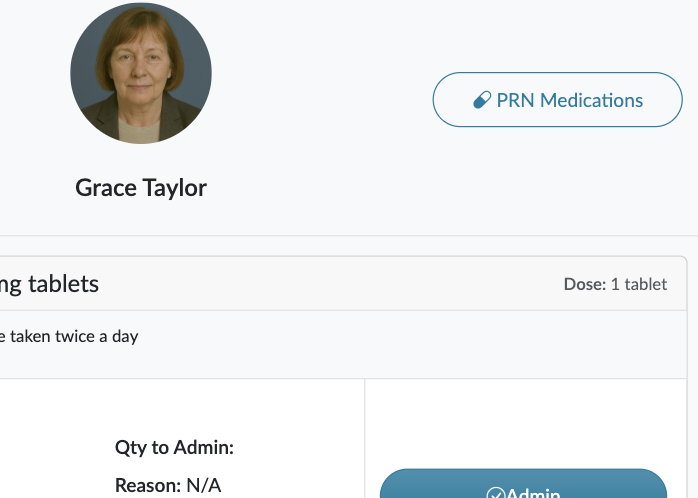
You may also need to administer any PRNs that are needed during a round, you will be able to record these as well by clicking on the PRM Medication link at the top of the screen.