
Floors, Areas and Beds
When you are onboarding a care home, you need to set up the configuration of the care home by creating floors, areas and beds. These can be updated in the future, but they shouldn’t need to be updated often.
Floors and beds are the only required structure you need to create. Areas are there if you need more structure which is especially useful if you have a larger care home or you want to run specific rounds in specific areas. If you only have one floor, you will still need to create 'Floor 1'.
When naming your floors or areas, it is a good idea to have a consistent naming convention, whether that’s a numerical system or names such as;
- ‘Area 1’, ‘Area 2’, ‘Area 3’ instead of ‘Area 1’, ‘area two’, ‘upstairs’
It should be noted that when you come to start a round, it can be created for a whole floor or an area.
When you need to create a new floor, area or bed, you will need to follow an approach of creating the floors first, then the areas within the floors if you need them, then the beds within either the area or floor.
Please note, when adding a bed or an area in a floor, you need to click on the downward arrow on the floor, and select add bed or add area within that floor, otherwise the area or bed will be shown separately and not in the same round.
When you create a bed you can either give it a number or a name. Again, being consistent here will make using HxCare a lot easier and more intuitive.
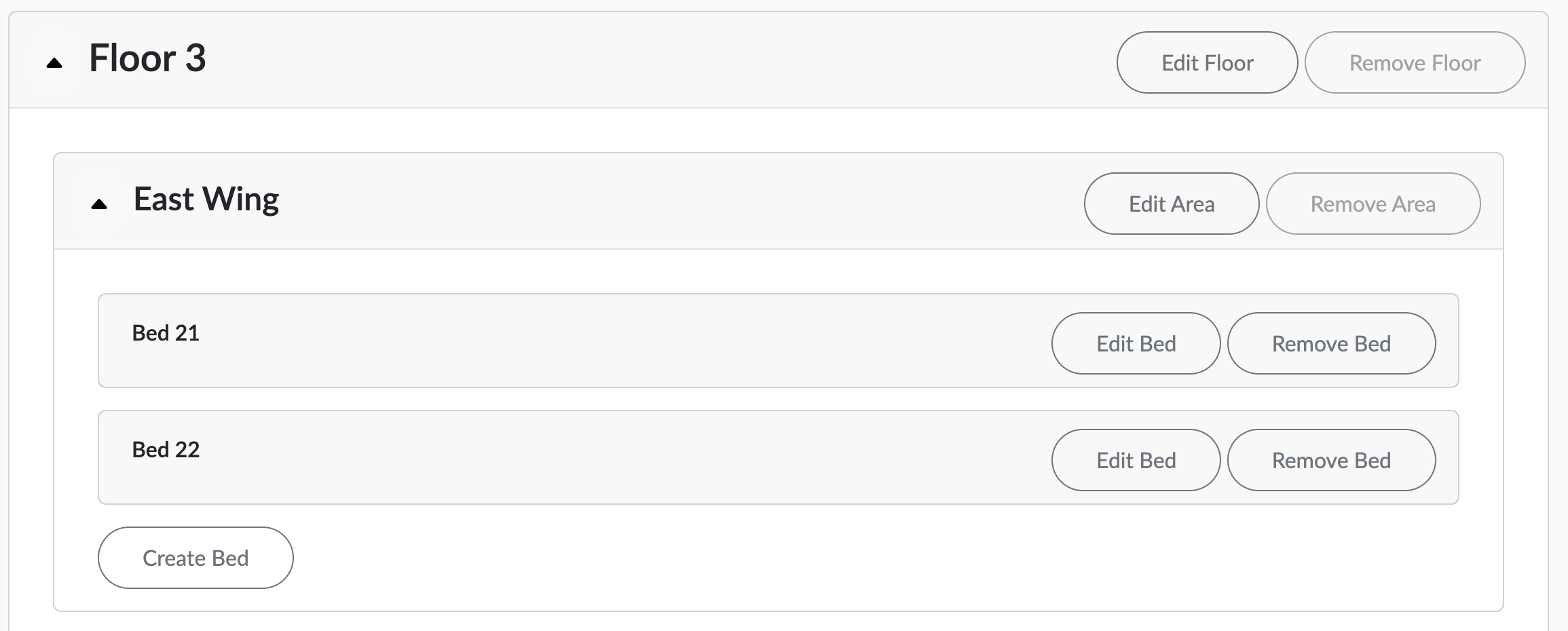
Our simple to use interface helps to show that structure and will make it easy to see and update things at a later date if you need to make adjustments.
To make adjustments, click onto the Floor, Area and Bed management which can be accessed from the Settings and Floors, Areas & Beds. Then select which floor you wish to make and edit within and then select edit on either edit bed or edit area. Once you have made these edits, click save.